
Google’s viral Nano Banana AI image generator made its way to several native Google apps back in November. The list includes not just the Gemini app but also Google Photos and even Google Messages.
On the latter, Nano Banana allows users to transform in-chat images, images within the preview screen, and when picking images from the media picker. The AI tool will continue to offer all of that functionality, though it is getting less eager about
Here’s how Google Messages will incorporate Nano Banana’s magic
‘Remix’ your photos with Nano Banana
First highlighted by the folks over at 9to5Google, Nano Banana, at least within Google Messages, is showing signs of maturing into a more subtle feature.
The latest Google Messages beta (version 20251212_00_RC01) highlights Nano Banana taking up a more professional UI, and it is doing so by getting less eager about shoving its bright yellow banana emoji in your view.
Coming soon to all Messages users
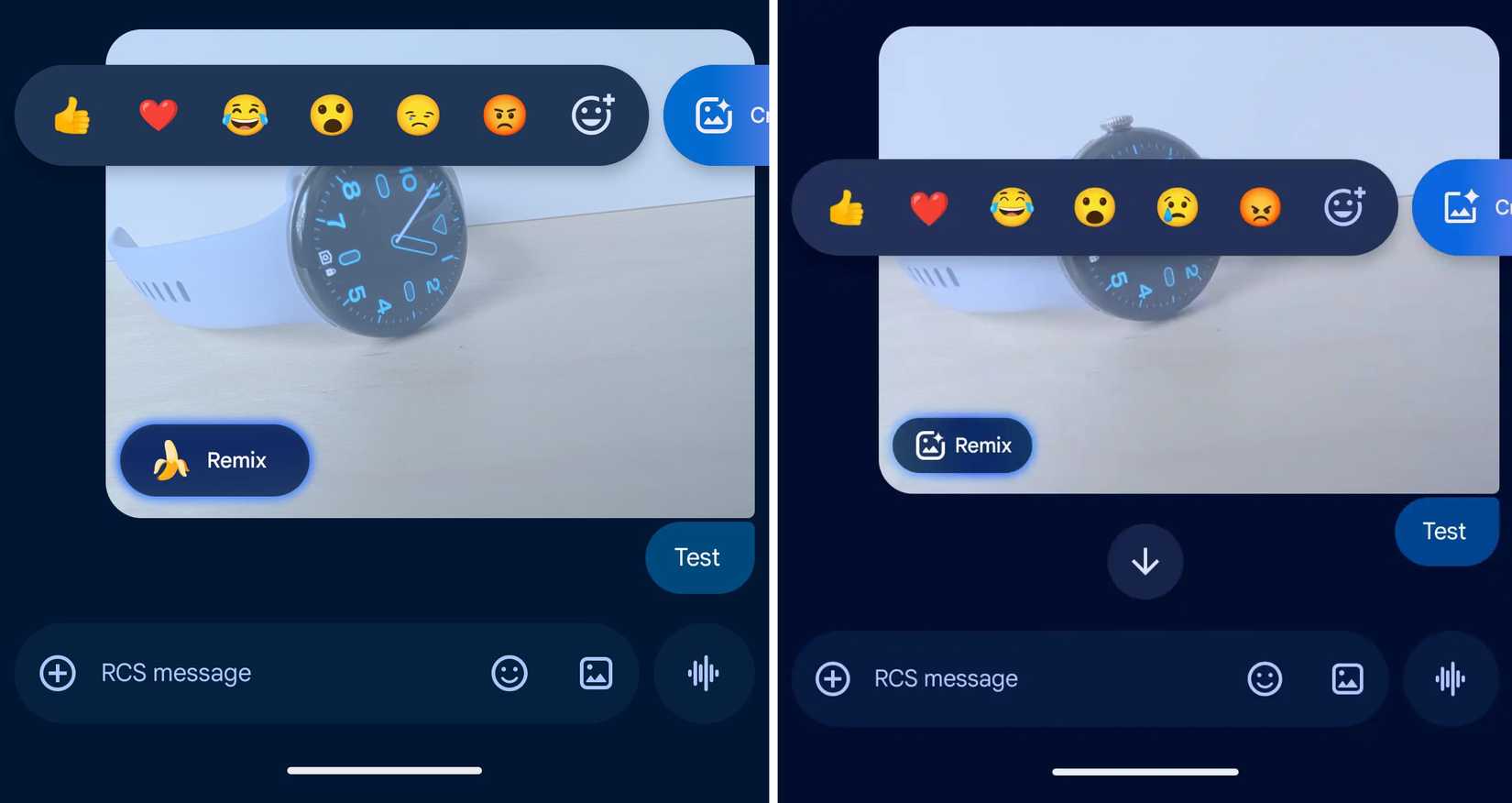
Old (left), new (right)
As seen in the screenshot on the right, in-chat image previews will soon highlight an overall smaller remix button, complete with the absence of the Banana logo. The change gets the point across without being overly loud, which is exactly what a mature platform like Google Messages needs.
Building on top of that, the button has been entirely removed from its old full-screen image viewer location. It now appears as a new icon at the bottom left of the page, next to the comment icon. It highlights the same banana-less icon as the in-chat preview.
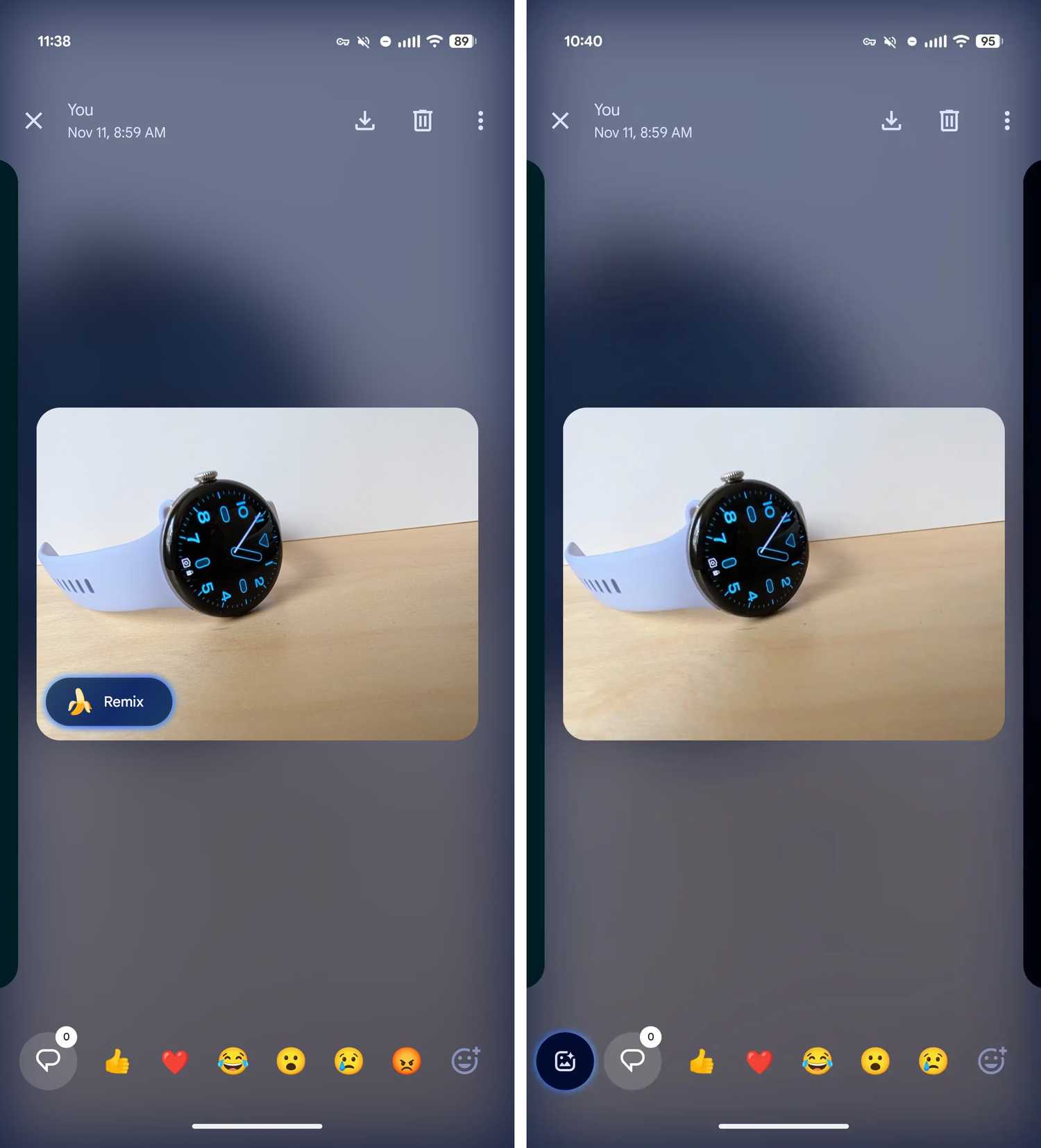
These changes haven’t made their way out to all just yet. They’re only showing up with beta version 20251212_00_RC01 of the app. Expect these changes to make their way out to all in the coming weeks.